

To open a port on your Linux VPS firewall, please follow the steps below:
-
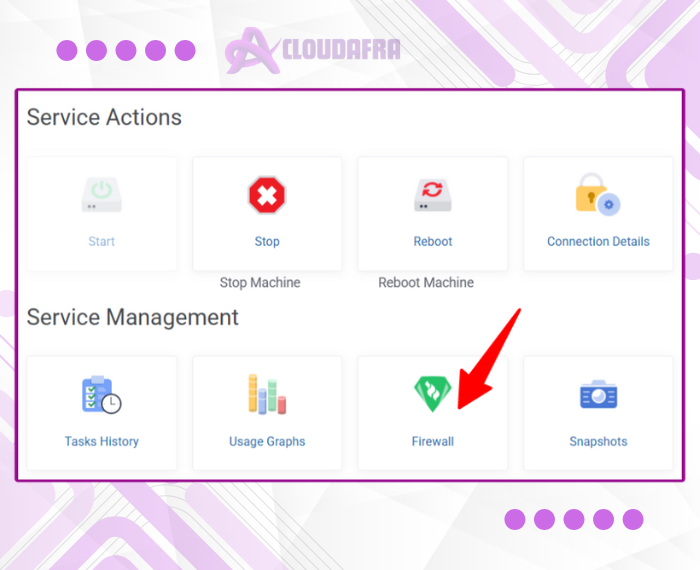
Open your VPS control panel and go to the Firewall section.
-
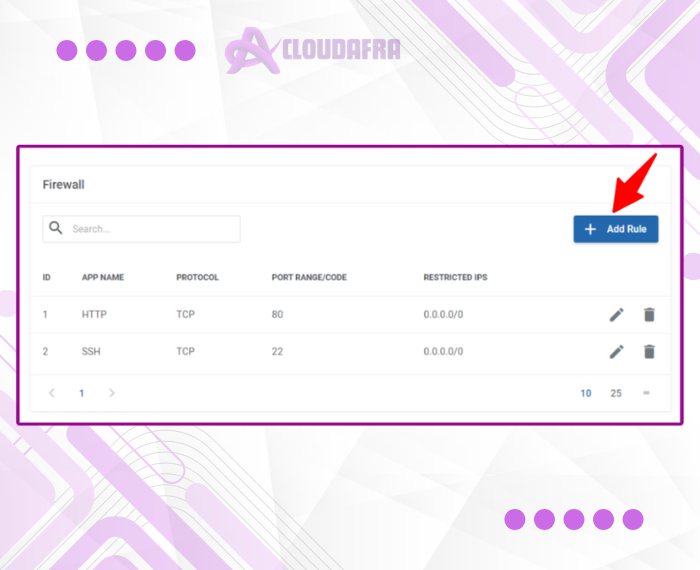
Click Add Rule.
-
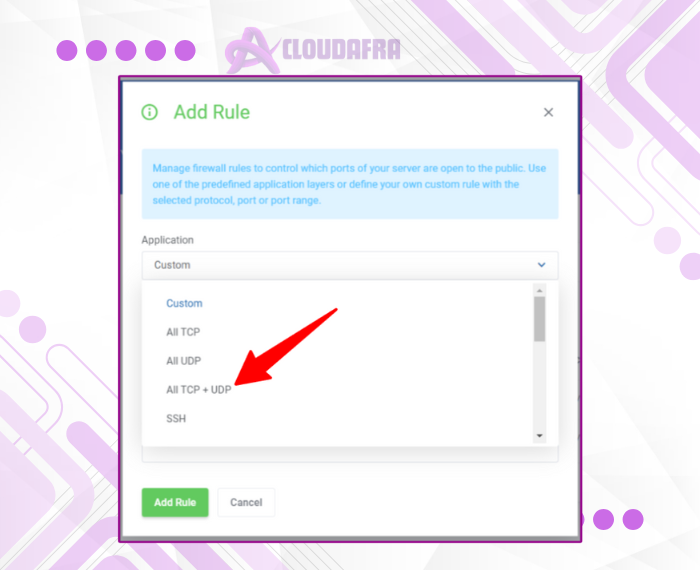
Enter the specific port number you want to open, or select All TCP + UDP if you want to allow all ports.
In the Source IP field, enter:0.0.0.0/0.